Selecting the right technology for your workforce is one of the most critical decisions facing Philippine businesses today. Business laptops represent a substantial investment that directly impacts employee productivity, data security, and operational efficiency. Unlike consumer devices, business laptops must meet stringent requirements for durability, security, manageability, and support. Understanding how to evaluate, procure, and manage these devices can reduce downtime, protect sensitive information, and deliver measurable returns on your IT investment. Whether you're equipping a startup team or refreshing hardware for an established enterprise, making informed decisions about business laptops requires balancing performance specifications, security features, total cost of ownership, and long-term scalability.
Business laptops differ fundamentally from consumer models in ways that matter for organizational success. The distinction goes beyond simple specifications to encompass security architecture, management capabilities, warranty coverage, and lifecycle predictability.
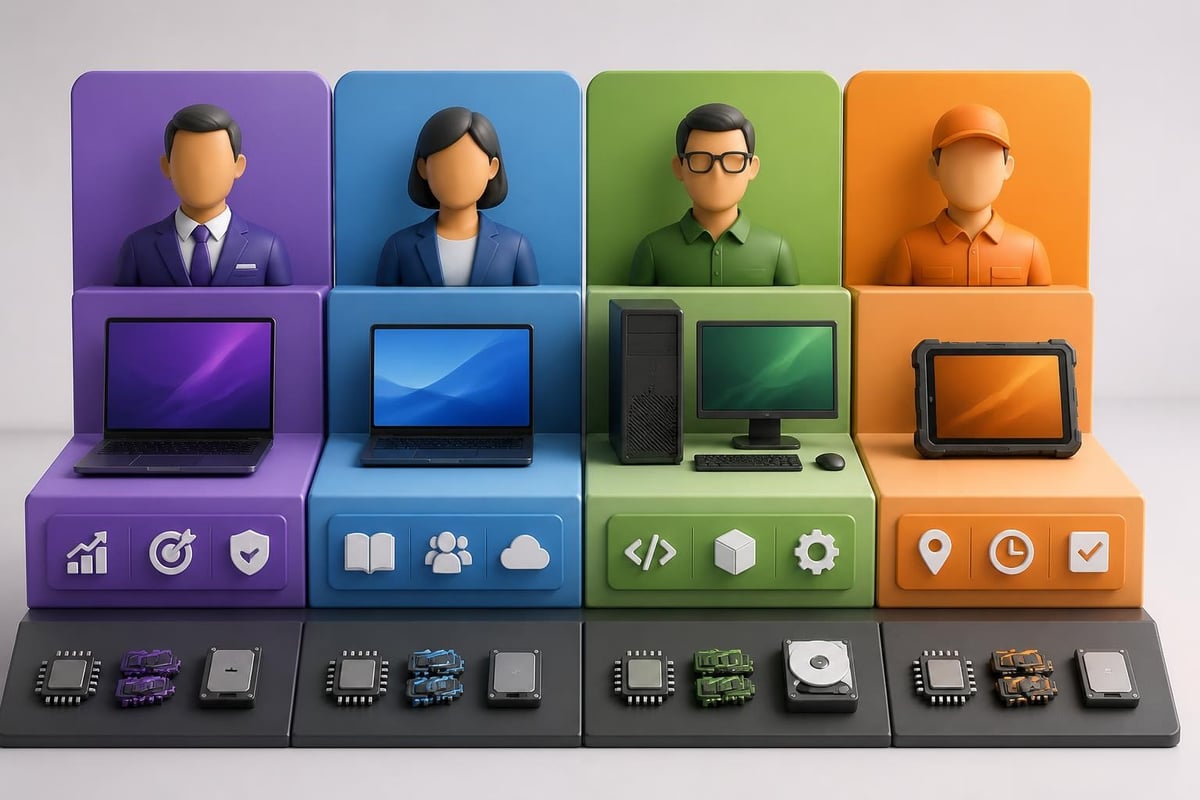
Not every employee needs the same computing power. Defining user profiles helps match hardware investment to actual requirements:
This segmentation approach prevents over-provisioning expensive features to users who won't utilize them while ensuring power users receive adequate resources. Organizations can leverage flexible leasing and rent-to-own options to deploy the right tier to each employee group without excessive upfront capital expenditure.
Security features separate business laptops from consumer alternatives. Modern threats require hardware-level protections built into the device itself:
| Security Feature | Purpose | Business Value |
|---|---|---|
| TPM 2.0 chip | Hardware-based encryption key storage | Protects credentials and encryption keys from software attacks |
| Fingerprint reader | Biometric authentication | Reduces password-related breaches and support calls |
| Privacy screen | Visual data protection | Prevents shoulder surfing in public spaces |
| Firmware protection | BIOS/UEFI security | Blocks rootkit and firmware-level attacks |
| Self-encrypting drive | Hardware encryption | Protects data if device is lost or stolen |
The NIST Cybersecurity Framework 2.0: Small Business Quick-Start Guide provides actionable guidance for establishing baseline security requirements that your business laptops must meet. These hardware protections work in concert with software policies and mobile device management to create defense-in-depth.
Beyond built-in features, business laptops should support integration with enterprise security tools. Compatibility with endpoint detection and response solutions, virtual private networks, and conditional access policies ensures your mobile workforce maintains security posture regardless of location.
Acquiring business laptops involves more than comparing sticker prices. A comprehensive procurement strategy evaluates total cost of ownership, vendor relationships, and flexibility to adapt to changing business needs.
Philippine businesses face a critical choice between purchasing business laptops outright or pursuing flexible acquisition models:
Outright Purchase Advantages:
Leasing and Rent-to-Own Benefits:
For many growing businesses, leasing provides the agility to respond to workforce changes without substantial capital commitments. This approach aligns technology refresh cycles with accounting periods and ensures employees always work on current-generation hardware.
Maintaining a standardized fleet of business laptops delivers operational advantages that compound over time. When your IT team supports three laptop models instead of fifteen, they develop deep expertise, stock appropriate spare parts, and resolve issues faster.
Standardization also unlocks volume purchasing power. Working with suppliers who understand your specific requirements and usage patterns leads to better pricing, customized configurations, and priority support. The U.S. GSA guidance on buying laptops and desktops outlines best practices for creating standard configurations and negotiating enterprise agreements, principles applicable to any business procurement.
Consider establishing a two- or three-year replacement cycle with overlapping procurement windows. This approach smooths budget impact, ensures consistent user experience, and prevents the operational disruption of replacing the entire fleet simultaneously.
The operating system choice for business laptops shapes management overhead, application compatibility, security posture, and user productivity. Each platform offers distinct advantages depending on your business environment.
Windows remains the dominant platform for business laptops across most industries. The Windows 11 overview for administrators highlights enterprise features including enhanced security baseline, zero-trust architecture support, and streamlined deployment through Windows Autopilot.
Windows business laptops integrate seamlessly with Active Directory, Microsoft 365, and the broader Azure ecosystem. This tight integration enables single sign-on, conditional access policies, and unified endpoint management through platforms like Microsoft Intune.
Organizations with established Windows infrastructure benefit from:
Apple's macOS platform delivers compelling advantages for specific user populations. Apple Business Manager provides centralized device enrollment, application deployment, and configuration management comparable to Windows enterprise tools.
Business laptops running macOS excel in creative fields, software development, and executive roles where design aesthetics and user experience drive value. The platform offers:
Organizations can successfully deploy mixed Windows-Mac fleets when they implement platform-agnostic solutions for collaboration, communication, and file sharing. Cloud-based productivity suites, cross-platform development tools, and browser-based applications reduce platform dependency.
For businesses exploring Apple devices, dedicated Apple product collections simplify evaluation and procurement of business-grade MacBooks with appropriate specifications and warranty coverage.
Chromebooks represent an emerging category in business laptops, particularly for organizations fully committed to cloud infrastructure. These devices offer simplified management, automatic updates, and inherent security through containerization and verified boot processes.
Chrome OS business laptops work best when:
Efficiently managing a fleet of business laptops requires structured processes for enrollment, configuration, monitoring, and support. Manual setup doesn't scale beyond small teams.
Modern business laptops support zero-touch provisioning that eliminates manual IT involvement in initial setup. Employees receive devices directly from the supplier, power them on, authenticate with corporate credentials, and receive fully configured systems ready for productive work.
This capability relies on vendor partnerships and cloud-based management platforms. Windows Autopilot and Apple Business Manager enable IT teams to pre-configure policies, install applications, and enforce security settings before devices ever reach end users.
Zero-Touch Deployment Steps:
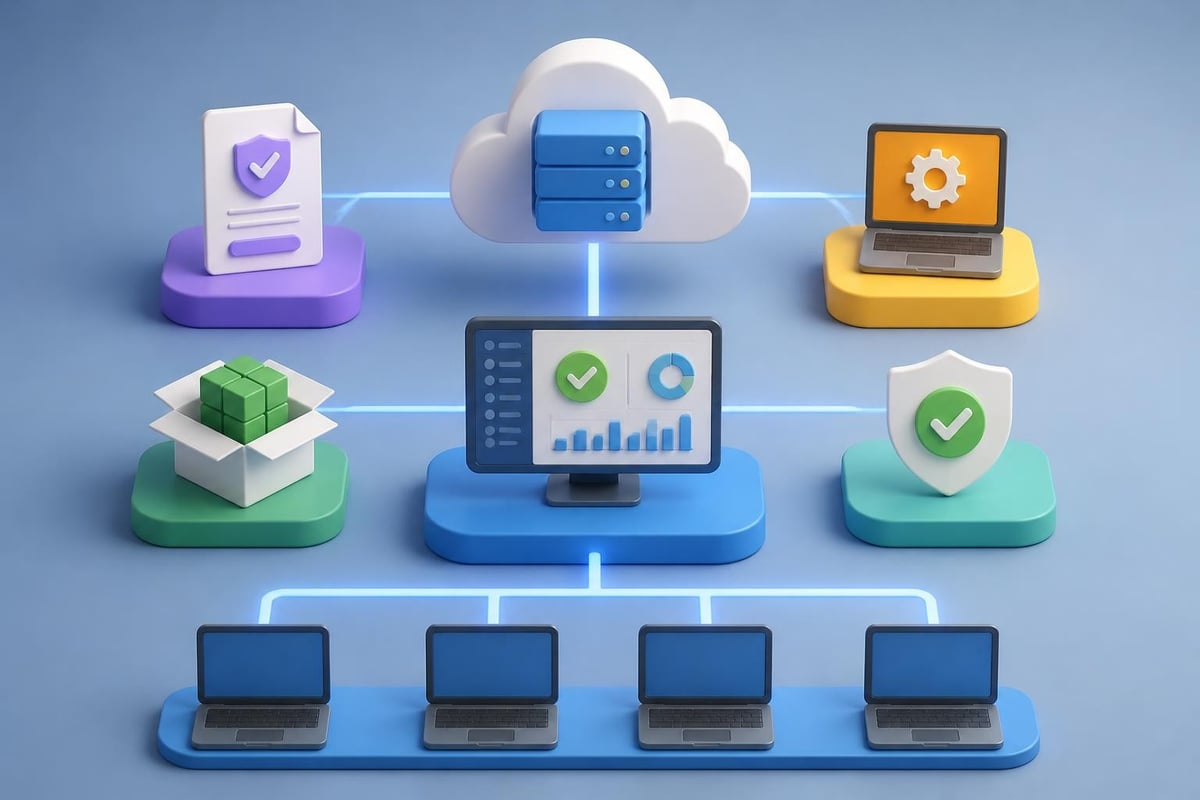
Business laptops require ongoing management beyond initial deployment. Mobile device management platforms provide centralized visibility and control across your entire fleet:
| MDM Capability | Business Impact |
|---|---|
| Remote configuration | Update settings without physical access to devices |
| Application distribution | Deploy and update software to hundreds of laptops simultaneously |
| Compliance monitoring | Verify devices meet security policies and regulatory requirements |
| Remote lock/wipe | Protect data if laptop is lost or stolen |
| Inventory tracking | Maintain accurate asset records and warranty information |
Implementing MDM ensures business laptops remain secure and compliant throughout their operational lifecycle. The platform enforces disk encryption, requires screen lock timeouts, blocks unauthorized software, and generates audit logs demonstrating compliance with industry regulations.
Technical specifications determine how well business laptops handle current workloads and how long they'll remain viable before requiring replacement. Balancing immediate needs with future requirements optimizes investment value.
Current-generation processors from Intel (12th/13th/14th gen Core) and AMD (Ryzen 6000/7000 series) deliver substantial performance per watt improvements over previous generations. For business laptops, consider:
Prioritize recent processor generations even if earlier models appear similar on paper. Newer chips integrate improved security features, better power efficiency, and enhanced support for modern connectivity standards.
Insufficient memory forces business laptops to rely on slower storage for active workloads, degrading performance. Storage capacity determines how much local data users can maintain and affects system responsiveness.
Minimum Recommended Configurations:
Solid-state drives are non-negotiable for business laptops. The performance difference between SSD and traditional hard drives affects everything from boot time to application responsiveness to user satisfaction.
Screen quality directly impacts user comfort and productivity during extended work sessions. Business laptops should feature:
Modern business laptops should include Thunderbolt 4 or USB4 connectivity supporting docking stations that transform laptops into full desktop workstations. This flexibility lets users work effectively both at desks and while mobile.
Mobile productivity depends on reliable battery performance. Business laptops must deliver consistent runtime across varied usage patterns and maintain battery health through extended ownership periods.
Manufacturer battery life claims typically reflect ideal conditions that don't match business usage. Realistic expectations for business laptops under typical workloads:
Users should comfortably achieve a full workday on battery when the laptop is properly configured and maintained. The Battery University guide on maximizing runtime provides technical insights into battery chemistry and practical advice for extending operational life.
IT teams can implement policies that balance performance with battery longevity:
Battery degradation is inevitable, but proper management extends the useful life of business laptops and delays replacement costs. Plan for battery replacement services as part of long-term ownership or ensure lease agreements address battery health standards.
Environmental considerations increasingly influence business laptop procurement decisions. Sustainable practices reduce environmental impact while often delivering cost savings through improved efficiency and extended lifecycles.
The EPEAT registry identifies electronics meeting comprehensive sustainability criteria across design, production, energy use, and end-of-life management. Business laptops with EPEAT Gold or Silver ratings demonstrate measurable environmental benefits:
Specifying EPEAT-registered business laptops in procurement requirements supports corporate sustainability goals while ensuring devices meet quality and performance standards. Many organizations mandate minimum EPEAT ratings for all computing equipment purchases.
Maximizing the useful life of business laptops delivers both environmental and financial benefits. Rather than disposing of devices after initial deployment, consider:
Cascade deployment models: Passing functional business laptops from power users to less demanding roles extends total organizational value before retirement.
Component upgrades: Business-class laptops often support memory and storage upgrades that refresh performance at fraction of new device cost.
Certified refurbishment: Reconditioning retired business laptops for educational institutions, nonprofits, or secondary markets prevents premature disposal while supporting community initiatives.
Business laptops require comprehensive support programs that minimize downtime and maintain workforce productivity. Consumer-grade warranty coverage proves inadequate when device failure impacts revenue-generating activities.
Standard one-year warranties with mail-in repair don't meet business requirements. Enterprise warranty programs provide:
The cost differential between basic and premium warranties represents insurance against productivity loss. Calculate the value of employee downtime when evaluating warranty options.
Business laptops accumulate sensitive data throughout their operational lives. Secure decommissioning processes prevent data breaches while complying with privacy regulations:
Organizations handling regulated data should implement formal IT asset disposition policies that define responsibilities, procedures, and documentation requirements.
Business laptops don't operate in isolation. They must integrate with networking infrastructure, security systems, collaboration platforms, and peripheral devices that comprise your complete IT environment.
Wi-Fi 6 (802.11ax) or Wi-Fi 6E support ensures business laptops can leverage modern wireless infrastructure delivering higher throughput, lower latency, and better performance in dense environments. Organizations investing in advanced access points benefit when laptops support corresponding wireless standards.
Ethernet connectivity remains important for high-bandwidth activities, sensitive communications, or locations with wireless interference. Business laptops should include gigabit Ethernet ports or USB-C adapters supporting wired connections.
Modern work requires business laptops to integrate seamlessly with external displays, docking stations, conferencing equipment, and input devices:
Standardizing on business laptop models with comprehensive peripheral support reduces compatibility issues and simplifies procurement of accessories.
Business laptops must integrate with network security infrastructure protecting organizational assets:
These integrations transform business laptops from isolated devices into managed endpoints within your comprehensive security architecture.
Selecting and managing business laptops requires balancing performance requirements, security features, total cost considerations, and operational scalability. By implementing structured procurement processes, standardizing on business-class devices, and deploying comprehensive management platforms, Philippine businesses can build reliable mobile computing foundations that drive productivity and protect valuable data. REDCHIP IT SOLUTIONS INC. offers flexible leasing, rent-to-own programs, and professional IT consultancy to help your organization select, deploy, and manage the right business laptop fleet for your specific needs. Whether you're equipping a growing team or refreshing aging hardware, our comprehensive IT solutions reduce complexity while enhancing your technology investment returns.